Spending Store Credit in the Cart and Checkout
Customers spend store credit themselves. Store Credit adds an apply and remove panel to the cart page, the cart drawer, and the Hyvä Checkout order summary, and shows the current balance in the header account menu. There is nothing to type in: the customer's whole available balance is applied in one click, capped at what the order is worth.
The Store Credit Panel in the Cart
On the cart page, the store credit panel sits in the summary column directly above the totals. Before the customer applies anything it shows the balance and an Apply link.

After applying, the panel switches to the applied state: the amount that went in, a Remove link to take it back out, and the order total that remains to be paid.
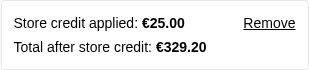
In context, the panel sits directly above the totals, so the customer reads the credit and the resulting total together.
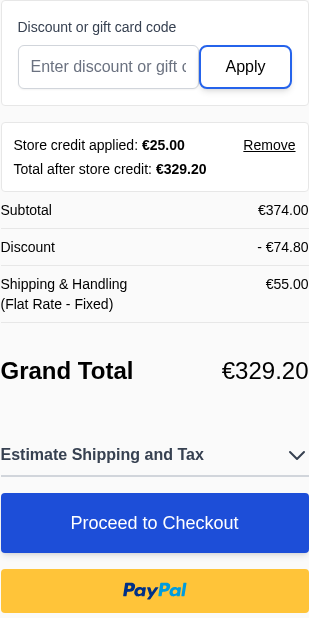
The grand total in the totals list drops by the applied amount. Store Credit does not add its own line to the cart totals list, so the panel above it is where the customer reads how much credit went in and what is left to pay.
The Store Credit Panel in the Cart Drawer
The same panel renders inside the cart drawer, so a customer can apply their credit without ever opening the cart page.
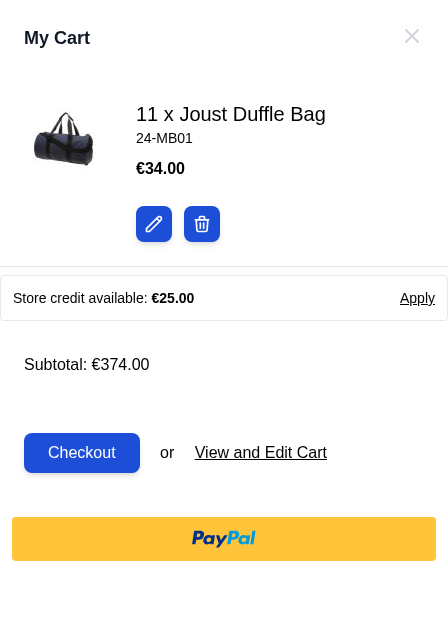
Both the cart page and the drawer panel are the same Alpine component, driven by the hyva-store-credit private content section. When the customer applies or removes credit, the section is refreshed along with the cart section, which is what keeps the drawer, the cart page, and the header balance in step.
The Store Credit Panel in Hyvä Checkout
In Hyvä Checkout, store credit appears in the Order Summary column, above the total segments.
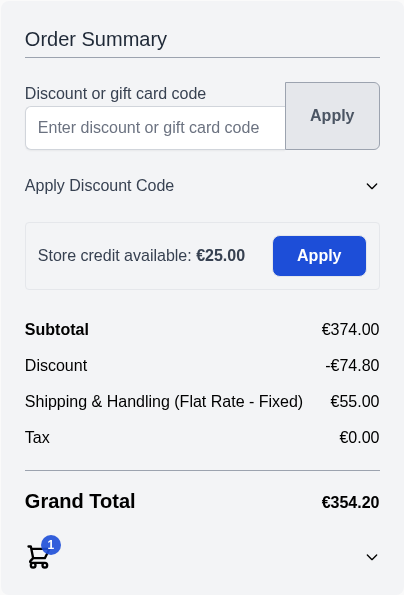
Applying it updates the order summary in place and drops the grand total by the applied amount.
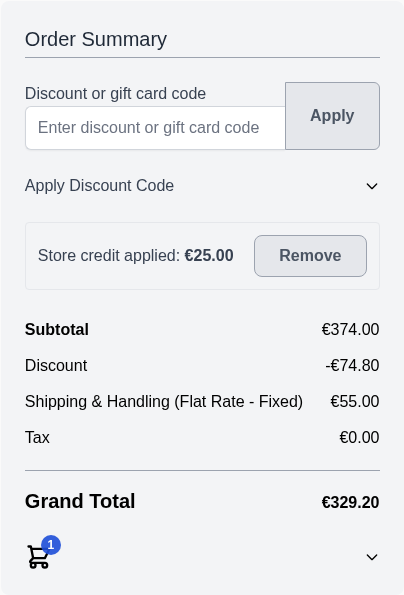
The checkout panel is a Magewire component, so it refreshes itself whenever anything that could change the order total changes: a shipping method, a payment method, a coupon, or a shipping or billing address. It also survives navigating forward to payment and back again, which is what the module's end-to-end tests cover.
The Balance in the Header
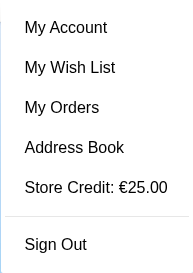
Logged-in customers see their balance in the account menu in the header, which links straight through to the Store Credit page in My Account.
Partial Coverage and Full Coverage
Store credit is applied at whatever the order can absorb, and the two outcomes behave differently at the payment step.
Partial coverage is the ordinary case: the balance is smaller than the order total, the whole balance goes in, and the customer pays the rest with a normal payment method. A customer with €25.00 of credit on a €354.20 order applies all €25.00 and pays €329.20.
Full coverage is when the balance is large enough to bring the order total to zero. Store Credit then hides every payment method except Zero Subtotal Checkout, because there is nothing left to charge. If Zero Subtotal Checkout is disabled on that website, the customer cannot complete the order at all, which is why installing Store Credit includes checking that method is on.
Credit Is Applied After Discounts and Shipping
Store credit is collected as a quote total after discounts and shipping have been worked out, so it comes off the amount the customer would actually have paid, not off the subtotal. A coupon and store credit stack: the coupon reduces the total first, then credit is applied to what remains.
Where the Applied Amount Is Stored
While the customer shops, the applied credit lives on the quote rather than on the balance. Nothing is taken from the ledger until the order is placed.
use_store_creditrecords that the customer asked to use their credit on this cart.base_store_credit_amount_usedandstore_credit_amount_usedrecord how much is applied, in base and display currency.
Because the amount is recalculated on every totals collection, a customer who empties their cart, changes quantities, or applies a coupon always sees a correct figure without having to remove and re-apply their credit. The balance is only debited at order placement, which is covered in Store Credit Through the Order Lifecycle.
Related Topics
- Store Credit Through the Order Lifecycle - when the balance is actually debited, reverted, and refunded.
- Store Credit in the Customer Account - where customers check their balance and history.
- Zero Subtotal Checkout - how Hyvä Checkout handles an order with nothing left to pay.
- Theming Store Credit - the templates, layout handles, and components behind these panels.