Category Tree Expander
Currently available in beta
Menu Builder is currently available in beta, which means some of the features, specifications, and details provided herein are subject to change. We recommend checking back regularly for the most up-to-date information and viewing our roadmap in regard to the general availability release.
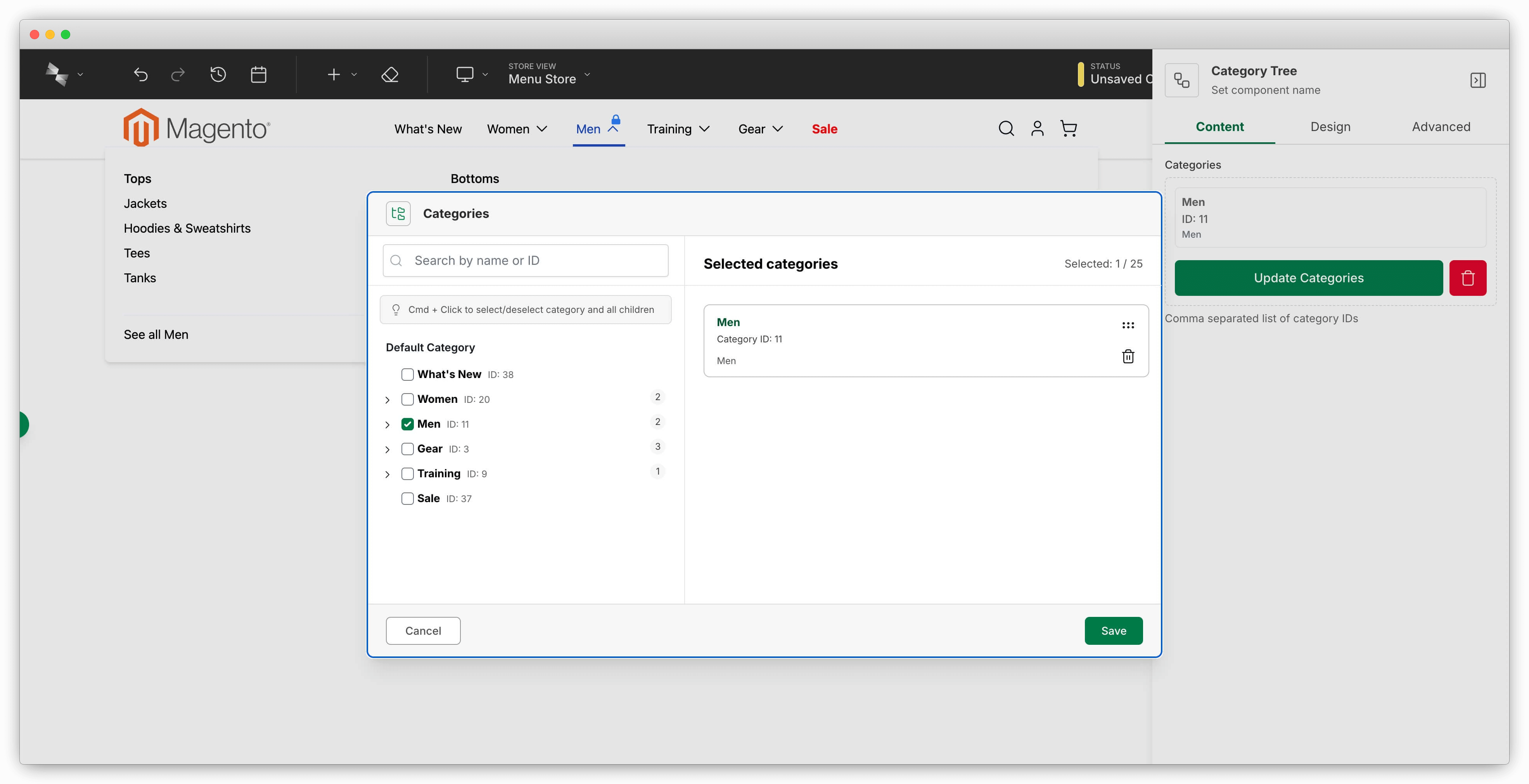
The Category Tree Expander automatically generates menu items from your Magento catalog structure. When you add, remove, or reorganize categories in your catalog, the menu updates automatically—no manual maintenance needed. Editors just add a Category Tree component in Hyvä Menu Builder and pick which categories to include. At render time, the CategoryTreeExpander ViewModel loads those categories and expands them into full menu item structures ready for display.
Adding the Category Tree Component
Using the Built-in hyva_menu_category_tree Component
Hyvä Menu Builder ships with a built-in hyva_menu_category_tree component you can use right away. To make it available in your menu, add it to your menu component's accepts array in the children configuration:
"children": {
  "config": {
    "accepts": ["hyva_menu_item", "hyva_menu_category_tree", "hyva_menu_content_container"]
  }
}
Once you've added this, editors will see "Category Tree" in the component selection dialog. They can add it and pick categories using the built-in category selector.
Creating a Custom Category Tree Component
If you need a custom category tree component with specialized behavior, you can create your own. The CategoryTreeExpander ViewModel identifies category tree components by the hyva_menu_category_tree context flag, so you need to include that flag along with a category_ids field:
{
  "my_category_tree": {
    "label": "My Category Tree",
    "context_flags": ["hyva_menu_category_tree"],
    "template": false,
    "require_parent": true,
    "content": {
      "category_ids": {
        "type": "category_selector",
        "label": "Categories"
      }
    }
  }
}
Why template: false and require_parent: true
Set template to false and set require_parent to true so this component doesn't render its own template. Instead, the parent component controls which template gets used. This is the standard pattern for hyva_menu_category_tree components—they're always child components, and the parent template decides how to render them.
The CategoryTreeExpander ViewModel looks for the hyva_menu_category_tree context flag to identify these components, then uses the category_ids field to know which categories to expand into menu items.
Using the CategoryTreeExpander ViewModel in Your Template
In your custom menu component template, you need to call the CategoryTreeExpander ViewModel before rendering menu items. This expands any category tree components into their full menu item structures. Here's how to use it:
<?php
use Hyva\MenuBuilder\ViewModel\CategoryTreeExpander;
use Hyva\Theme\Model\ViewModelRegistry;

/** @var ViewModelRegistry $viewModels */
$categoryTreeExpander = $viewModels->require(CategoryTreeExpander::class, $block);

$menuItems = $block->getData('children') ?? [];
$maxLevel = (int)($block->getData('max_level') ?? 4);

$menuItems = $categoryTreeExpander->expandCategoryTrees($menuItems, $maxLevel);
$block->setData('cache_tags', $categoryTreeExpander->getIdentities());
?>
The expandCategoryTrees() method takes your menu items and replaces any category tree components with actual category menu items. The getIdentities() method returns cache tags for all the categories that were loaded, so the menu cache invalidates when those categories change.
Call expandCategoryTrees() before getIdentities()
The ViewModel tracks which category IDs it loads during expansion. Call expandCategoryTrees() first, then getIdentities(), so the cache tags include all the categories that were actually used.
The $maxLevel parameter controls how deep the category tree goes. Set it to 1 for just the selected categories (no children), 2 for one level of children, 3 for two levels, and so on. Use false to load all category levels with no limit.
Related Topics
- Creating Custom Menu Components - Complete guide to menu component creation
- Importing Categories - Bulk import categories as menu items
- Building Flexible Menus - Complete menu builder workflow
Reference Implementation
Check out the built-in menu component templates in module-menu-builder for working examples. Look at how hyva_menu_mobile and hyva_menu_desktop_drilldown use the CategoryTreeExpander ViewModel—you'll see the exact patterns described here in action.