Page Builder Migration
Moving to Hyvä CMS but already have content in Page Builder or the WYSIWYG editor? The Page Builder migration tools give you a running start by bringing that content across. Treat the result as a starting point, though, not a finished page: always review migrated content before it goes live.
Available since Hyvä CMS 1.0.1
The Page Builder migration tool was introduced in Hyvä CMS 1.0.1 as an experimental feature. It has been enabled by default for new installations since 1.0.2, and is no longer experimental since 1.1.0.
Migration output should be reviewed
Page Builder content can contain deeply nested markup, inline styles, third-party widgets, and project-specific HTML. Review migrated content in the Liveview Editor before publishing.
Partial and Full Migration Types
Page Builder migration offers two conversion modes, so you can choose how much automatic mapping to apply:
- Partial migration: imports existing content into HTML components. This is the safest option when the source content cannot be mapped cleanly to Hyvä CMS components.
- Full migration: attempts to convert known Page Builder structures, such as images or columns, into Hyvä CMS components.
When to Use Page Builder Migration
Use Page Builder migration when:
- A CMS page or block already has Page Builder content.
- A product or category description contains Page Builder content.
- You want an editable Hyvä CMS starting point instead of rebuilding from a blank page.
Manual rebuilding can still be faster for important pages where the source content is messy or the design needs to be improved.
How to Run a Page Builder Migration
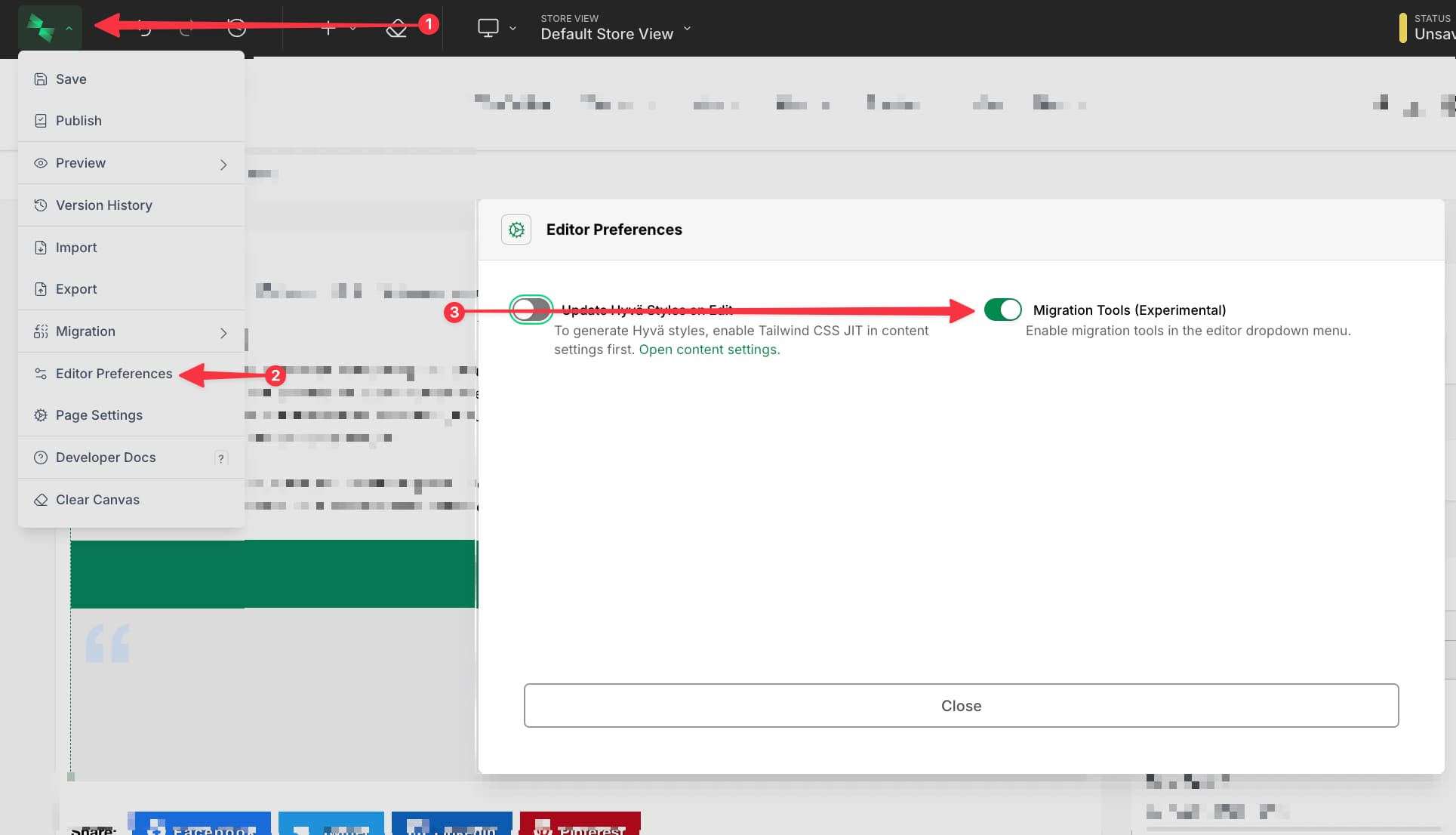
To migrate content, open the Hyvä CMS editor for the page, block, product attribute, or category attribute you want to migrate. From the main editor menu, choose the Page Builder migration option and follow the prompts.
After running the migration, review and finish the result:
- Save the draft.
- Review the preview at each relevant breakpoint.
- Replace generic HTML components with project-specific components where useful.
- Check images, links, widgets, and responsive layout.
- Publish only after the result has been verified.
For Developers
The migration tool maps known Page Builder structures where possible and falls back to HTML output where no reliable component mapping exists. Custom Page Builder content types or heavily customized markup may need project-specific migration handling; see Creating Components to build the project-specific components you swap migrated HTML into.