Translations
Selling across multiple store views? Hyvä CMS translations let you localize the translatable fields of your content per store view, without duplicating the whole component structure for each language.
Available since Hyvä CMS 1.1.0
Per store view translations were introduced in Hyvä CMS 1.1.0. AI-assisted translation is provided by the separate Hyvä CMS AI Translations module.
For Merchants: Managing Translations
Use Hyvä CMS translations when the component structure should stay the same across store views but text, labels, alt text, or links need local values.
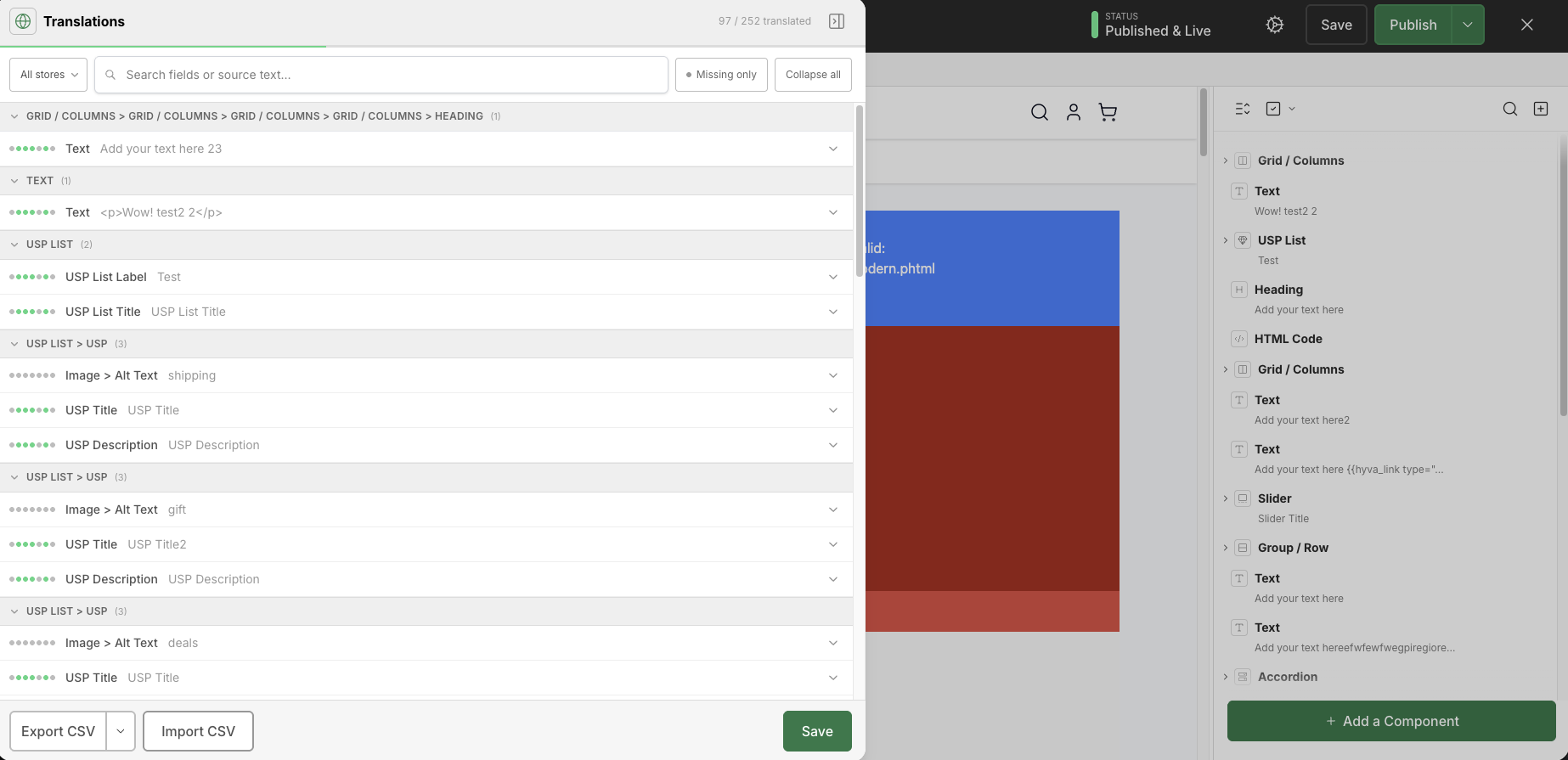
The translation panel supports:
- Manual translation entry per store view.
- CSV export.
- CSV import.
- Drag-and-drop CSV import.
- Translation status tracking.
You can access translations from:
- The Hyvä menu in the top-left of the editor.
- Translation icons shown next to fields that support translations.
Translations are enabled by default.
Admin path:
Stores > Configuration > Hyvä Commerce > Hyvä CMS > Editor Settings > Enable Translations
Translations Versus Store View Content Overrides
Hyvä CMS translations are separate from full store-view content overrides. Use translations when the same structure should be reused with localized field values. Use store-view content overrides when the content structure itself needs to be different for a store view.
Product and category attribute content also follows Magento store-view behavior: "All Store Views" is the default, and specific store views can use the default value or override it.
AI-Assisted Translations
The optional Hyva_CmsAiTranslations package can add AI translation assistance. It is separate from the core translations feature.
Depending on the installed package configuration, AI translation assistance can support providers such as OpenAI, Google Gemini, and DeepL, with modes for translating empty fields only or replacing existing translations.
For Developers
Component fields must opt in to translation support with "translate": true in the component declaration; see translate in the Component Declaration Schema Reference. Templates, snippets, import/export, and scheduled publication preserve translation data when the relevant options are enabled.