Advanced Admin Permissions
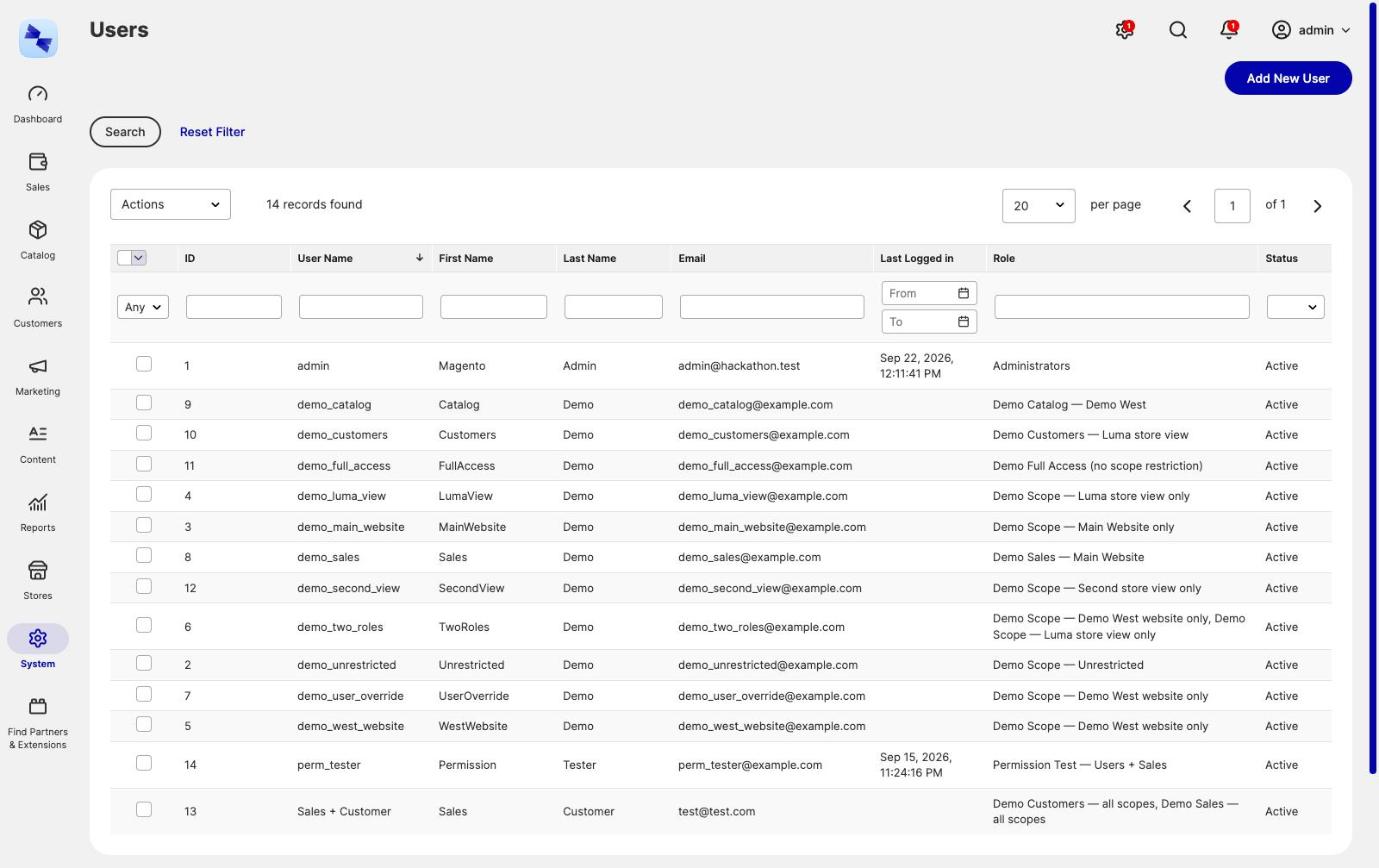
Advanced Admin Permissions extends Magento's admin role system in two directions. An admin user can hold several roles instead of exactly one, and a role, admin user or integration can be restricted to certain websites or store views. Everything else in the module exists to make those two things workable on a real store with a real team: deny roles, expiring grants, bulk assignment, an audit log, an effective-permissions viewer, and guardrails that stop an admin handing themselves more access than they already have.
Available with Hyvä Commerce 1.4.0
Advanced Admin Permissions is generally available since 1.0.0, which shipped with Hyvä Commerce 1.4.0. It was first released as the 0.1.0 beta on 30 September 2026. Adobe Commerce support is provided in the separate Hyva_AdvancedAdminPermissionsEnterprise module, also generally available since 1.0.0. See Installation for setup.
What Advanced Admin Permissions Does
- Multiple roles per admin user - assign any number of roles to one admin user. Every permission check considers all of them, and access is granted when any one role allows the resource.
- Negative (deny) roles - flag a role so the resources it lists become denials that override grants from the user's other roles. This is how you build "Manager, but never refunds".
- Website and store view restriction - limit a role, an individual admin user or an integration to certain websites or store views. Grids, edit pages, saves, deletes, scope switchers and the REST and SOAP APIs all narrow to match.
- Time-boxed role grants - grant a role until a chosen date and time. The grant stops working the moment it lapses, and an hourly cron job clears away what is left of it.
- Bulk role assignment - add or remove one role across many admin users at once from the users grid, leaving each user's other roles untouched.
- Roles for integrations - grant group roles to an integration instead of ticking its resource tree one box at a time, so a curated resource set is defined once and reused.
- Role assignment audit log - every change to who holds which role is recorded, including the attempts that were refused and the reason they were.
- Effective permissions viewer - see everything an admin user or integration can actually reach, and which role grants each resource.
- Privilege escalation guardrails - nobody edits their own access, nobody hands out permissions they do not hold themselves, nobody changes an account that can do more than their own, and nobody hands out access that outlives their own. That is what lets a restricted admin safely run their own team.
Advanced Admin Permissions is backwards compatible throughout. Additional roles are stored as ordinary authorization_role rows, your existing roles and assignments are unchanged, and nothing is restricted, negative or time-boxed until you set it. The permission guardrails apply immediately, though: no admin can change their own roles, and an admin can only change, delete or unlock an account whose roles they could grant themselves.
Where to Find Advanced Admin Permissions in the Admin
Advanced Admin Permissions has no configuration section of its own. It adds to screens Magento already has, plus one new grid:
| Screen | What Advanced Admin Permissions adds |
|---|---|
System → Permissions → All Users |
A Role column listing every role a user holds, and the Assign a role and Remove a role mass actions |
System → Permissions → All Users → [user] → User Role |
A multi-select checkbox grid instead of a single-choice radio grid, with an Expires (admin timezone) column per role |
System → Permissions → All Users → [user] → Effective Permissions |
A read-only view of everything the user can reach, and which role grants it |
System → Permissions → All Users → [user] → Scope Restriction |
The website or store view restriction for this one admin user |
System → Permissions → User Roles |
A sortable, filterable Negative column |
System → Permissions → User Roles → [role] → Role Resources |
The Negative (deny) role checkbox above the resource tree |
System → Permissions → User Roles → [role] → Scope Restriction |
The website or store view restriction for this role |
System → Permissions → Role Assignment Audit |
A new read-only grid of every role grant and revocation |
System → Extensions → Integrations → [integration] → API |
A Roles option in Resource Access, next to Custom and All |
System → Extensions → Integrations → [integration] → Scope Restriction |
The website or store view restriction for this integration |
System → Extensions → Integrations → [integration] → Effective Permissions |
Everything the integration's token can reach, and what grants it |
The Scope Restriction and Effective Permissions tabs appear once the role, user or integration has been saved for the first time.
Access to the new audit grid is governed by its own ACL resource, Hyva_AdvancedAdminPermissions::audit, which sits under System → Permissions in the role resource tree. Everything else follows the Magento permission that already governs the screen it appears on.
Installing Advanced Admin Permissions
Ready to get started? Follow Installing Advanced Admin Permissions to add it to your Magento store.
More Information
- User Guides: step-by-step guides for multiple roles, scope restriction, expiring grants, integration roles, the audit log and the effective-permissions viewer.
- Adobe Commerce Support: how the scope restriction replaces Adobe Commerce role scopes, for Hyvä Enterprise customers.
- Developer Documentation: the command line reference and the extension points for scope enforcement.
- Changelog: what's included in each release.
- FAQs: upgrade safety, performance, and what scope restriction does and does not cover.