Hyvä Form Builder
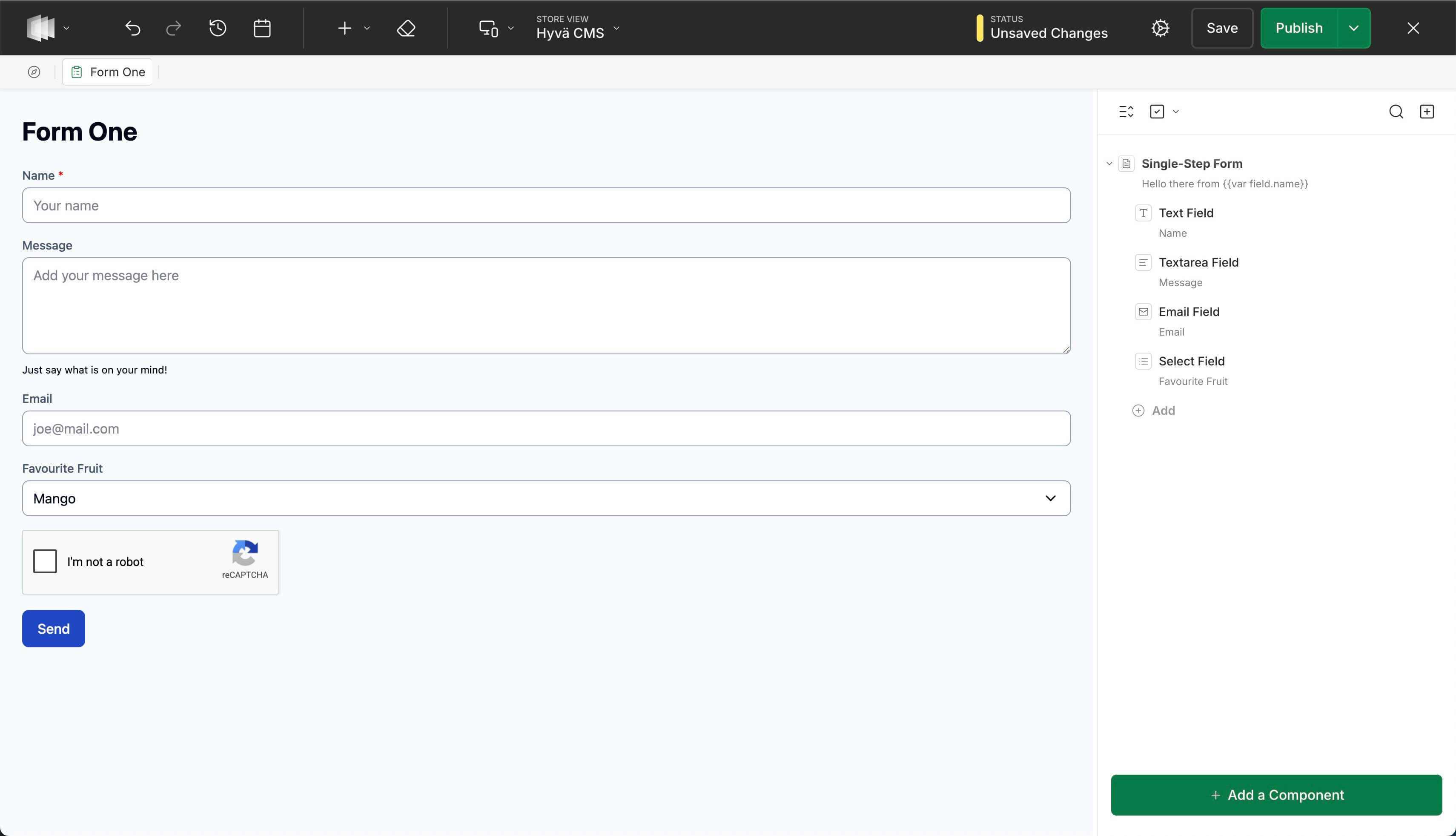
The Form Builder is a Hyvä Commerce feature that lets you build and embed forms in your storefront. It adds a new Forms option to the Content > Elements section of the admin panel. You build forms in the same Hyvä CMS Liveview Editor you already use for pages and blocks, embed them into any page or block, and receive each submission as an email.
Available with Hyvä Commerce 1.4.0
Form Builder is generally available since 1.0.0, which shipped with Hyvä Commerce 1.4.0, and requires Hyvä CMS 1.3.0. The 0.1.0 beta ran on Hyvä CMS 1.3.0-beta2; upgrading from it is covered in the Commerce upgrade guide. See Installation for setup.
What You Can Build
- Contact and inquiry forms - name, email, message, and a consent checkbox.
- Multi-step forms - break a longer form into steps with Back / Next navigation.
- Lead-capture forms embedded anywhere a CMS page or block can go.
Forms are a first-class content type in Hyvä CMS, alongside Pages, Blocks, and Menus.
Key Features
- No-code visual builder - build forms in the Liveview Editor, the same drag-and-drop tool you already use for pages and blocks.
- A field type for every question - text, email, phone, number, date, dropdowns, multi-choice, consent checkboxes, and hidden fields.
- Single or multi-step - a simple one-page form or a guided wizard with Back / Next navigation.
- Built-in spam protection - an automatic honeypot plus optional Google reCAPTCHA, enabled per form.
- Email and webhook delivery - every submission arrives by email and can also POST to a webhook for Zapier, a CRM, or any backend.
- Test before going live - submit from a preview and receive the real email, marked as a test so it is never mistaken for a customer inquiry.
- Accessible and resilient - semantic, ARIA-friendly markup that still submits with JavaScript disabled.
- Versioned like all CMS content - drafts, publishing, and version-history rollback come for free.
- Extensible - developers can add custom field types, form roots, and security gates.
Where submissions go
Submissions are delivered as email (and, optionally, to a webhook URL). They are not stored in the admin - set at least one recipient in Form Settings > Submission so a form has somewhere to send to. See Sending and Recipients.
Documentation
Getting started:
- Installation - install
hyva-themes/commerce-module-form-builderwith Composer.
Using the Form Builder - for content editors:
- User Guides - where to start when building your first form.
- Building Forms - create a form, add and configure fields.
- Sending and Recipients - where submissions go, reply-to, success messages.
- Spam Protection - the built-in honeypot and turning on CAPTCHA.
- Testing a Form - send a real test submission from a preview before going live.
- Embedding a Form - drop a form into a CMS page or block.
Extending the Form Builder - architecture and extension points for developers:
- Architecture - how a form works, from editor tree to notification email.
- How Validation Works - one rule set for the storefront pre-flight and the server, what a visitor sees on failure, and the submit endpoint's response contract.
- Add a Form Layout - render the shipped Form root a new way with one template and one registry entry.
- Create a Custom Form Root - ship a new form type with its own template and settings.
- Create a Custom Field - add a field type that behaves like the built-in ones.
- Add Custom Validation - server-side rules via the validator pool.
- Add a Security Gate - a new or replacement gate, such as an hCaptcha provider.
- Webhook Deliveries - what arrives at a webhook endpoint and how test submissions are marked.