Store Credit
Store Credit is a Hyvä Commerce feature that allows for every customer to have a spendable balance on your store. Customers see their balance in My Account, apply it in the cart or in Hyvä Checkout, and the amount comes straight off the order total. Merchants top balances up, hand out goodwill credit, and refund orders to store credit instead of to a payment method.
Available with Hyvä Commerce 1.4.0
Store Credit is generally available since 1.0.0, which shipped with Hyvä Commerce 1.4.0. It was first released as the 0.1.0 beta on 30 September 2026. GraphQL support is provided in the separate Hyva_StoreCreditGraphQl module, also generally available since 1.0.0, so Store Credit has no hard dependency on GraphQL. See Installation for setup.
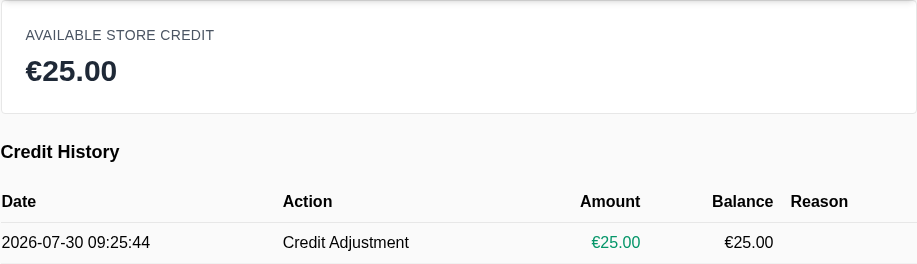
What Store Credit Does
- Gives every customer a balance per website, held in that website's base currency, so a customer can carry a different balance on each of your websites.
- Records every change in an append-only ledger. Nothing is ever overwritten. Each entry stores the signed amount, the balance that followed it, who or what caused it, and which order or credit memo it belongs to.
- Spends credit in the cart and in checkout. Customers apply and remove their credit themselves, and the amount is deducted from the order total.
- Refunds to store credit from a credit memo, with a separate permission for refunding more than the order was worth.
- Emails customers when their balance changes, with separate switches and templates for credit received and credit spent.
- Imports and exports balances as CSV, so you can seed balances when migrating from another platform.
- Exposes balances through REST and GraphQL, so headless storefronts and back-office integrations get the same behavior as the Hyvä storefront.
Where to Find Store Credit in the Admin
Store Credit adds two entries under Customers in the Magento admin: a balance overview and a CSV export.
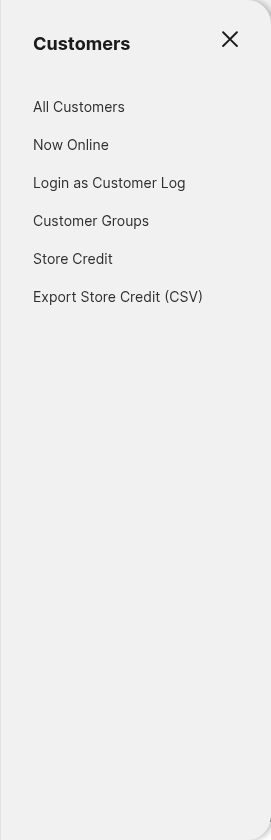
Customers → Store Creditlists every customer balance and links through to the balance management screen.Customers → Export Store Credit (CSV)downloads all balances asstore_credit_balances.csv.Stores → Settings → Configuration → Hyvä Commerce → Store Creditholds all settings, scoped per website.- Each customer also gets a Store Credit tab on their customer edit page.
Access is controlled by five ACL resources to give fine grained access to what each admin user can do.
Installing Store Credit
Store credit is switched off out of the box, so there are two steps: install the package, then enable it for the websites that should have it. Follow Installing Store Credit to get both done.
More Information
- Installation: install with Composer, and the setup that installation alone does not cover.
- Configuration: every setting, what it does, and its default.
- Spending Store Credit: how customers apply and remove credit in the cart, the cart drawer, and Hyvä Checkout.
- Store Credit in the Customer Account: the My Account page, the balance, and the credit history.
- Store Credit Through the Order Lifecycle: what happens to credit when an order is placed, invoiced, canceled, or refunded.
- Balance Change Emails: the two notification emails and when each one is sent.
- User Guides: managing balances, refunding to store credit, and importing or exporting balances.
- Developer Documentation: the ledger architecture, the events store credit fires, the PHP service contracts, REST, GraphQL, and theming.
- Changelog: what is included in each release.
- FAQs: common questions about currencies, refunds, Zero Subtotal Checkout, and rebuilding balances.