Linked Products
Linked Products is a Hyvä Commerce feature that groups separate products by a shared attribute, such as color or size, and lets shoppers switch between them with swatches on the product page. Each product in a Linked Product Group keeps its own page, URL, price, stock, and reviews. A swatch is simply a link to a sibling product.
Available with Hyvä Commerce 1.4.0
Linked Products is generally available since 1.0.0, which shipped with Hyvä Commerce 1.4.0. It was first released as the 0.1.0 beta on 28 July 2026. See Installation for setup.
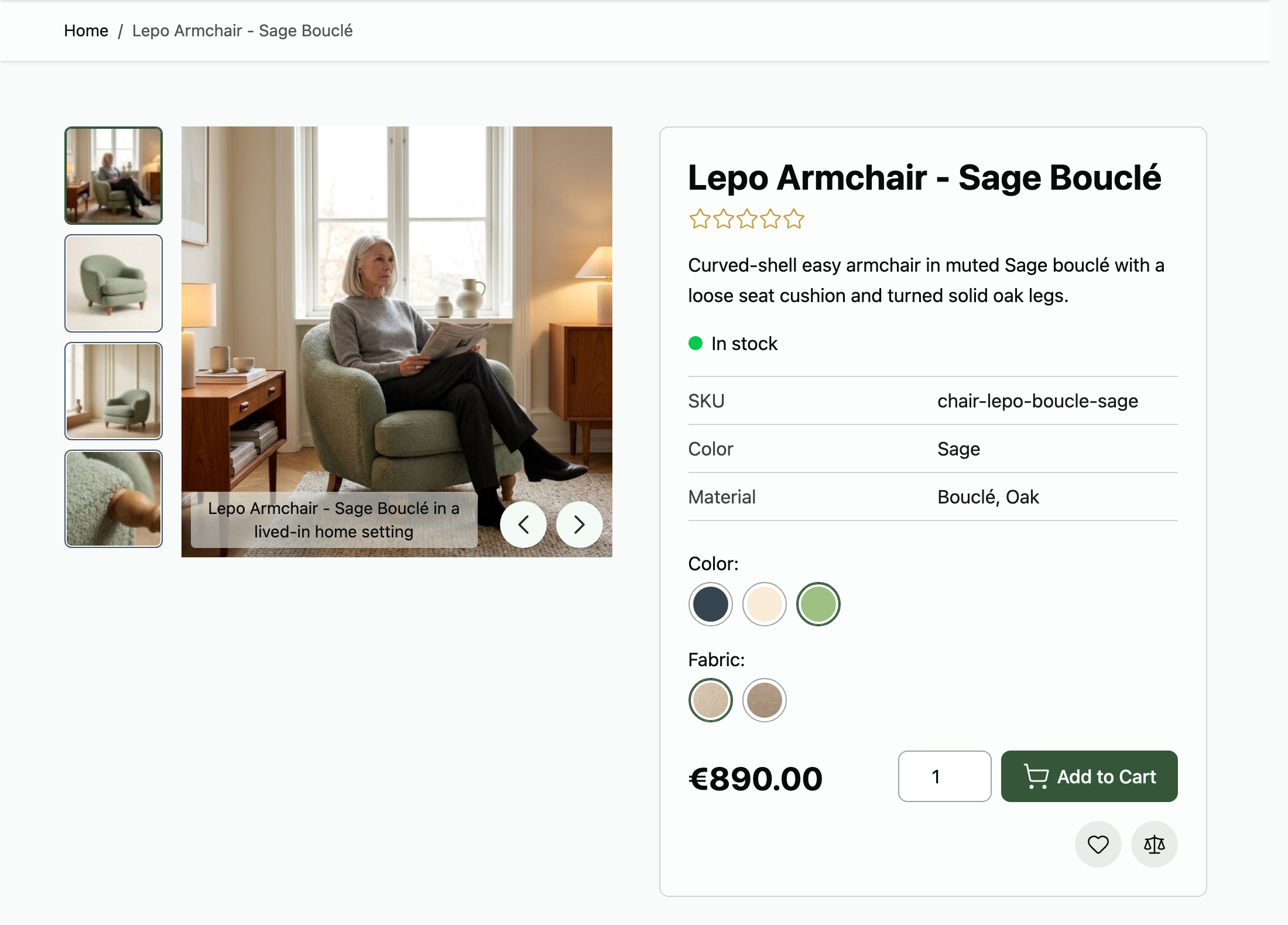
What Linked Products Does
- Groups products without a parent product. A Linked Product Group is a lightweight set of products, not a configurable, grouped, or bundle product, so every member stays an independent product you can sell, index, and merchandise on its own.
- Turns attributes into storefront swatches. You pick the group's link attributes, and the product page shows one row of swatches per attribute: visual swatches as colors or images, text swatches and dropdowns as text labels.
- Links products from two places. Build a group from the Linked Product Groups grid, or link products straight from the Product Edit page.
- Warns about products shoppers can't reach. When two members share the same values for every link attribute, the storefront can only link to one of them. The admin marks the others before you save.
- Moves groups in bulk with CSV. Import and export groups through Magento's
System → Data Transferscreens or withbin/magentocommands, using SKUs and attribute codes so the same file works across environments. - Switches off per store view. One setting hides the swatches on any website or store view without touching your groups.
Where to Find Linked Products in the Admin
Linked Products adds one admin grid, one product form section, and one settings page.
Catalog → Linked Product Groupslists every group, with a button to add a group and a mass action to export groups as CSV. In the default Magento admin theme, the entry sits in the Inventory section of the Catalog menu.- The Linked Products section on the Product Edit page (
Catalog → Products, then open a product) links products and link attributes for that product's group. Stores → Settings → Configuration → Hyvä Commerce → Linked Productsholds the storefront switch.
Access is controlled by the Linked Product Groups ACL resources (view, create/edit, delete) and Linked Products Configuration.
Which Attributes Can Link Products
A link attribute must be a product attribute that you created (is_user_defined = 1) with the Dropdown, Visual Swatch, or Text Swatch catalog input type (frontend_input = select). Multiple-select attributes and system attributes can't link products. Every product in a group needs a value for each of the group's link attributes, and the admin only offers products that have one.
Installing Linked Products
Ready to get started? Follow Installing Linked Products to add it to your Magento store.
More Information
- Installation: install with Composer, and recompile your theme's styles so the swatches render.
- Configuration: the storefront switch, its scopes, and what it does not control.
- Managing Linked Product Groups: create, edit, and delete groups from the Linked Product Groups grid.
- Linking Products from the Product Edit Page: build or change a group while editing a product.
- Unreachable Products: what the red marks mean and how to resolve them.
- Importing and Exporting Groups: the CSV format, the Linked Product Groups import and export entity, the CLI commands, and the validation rules.
- Linked Products on the Storefront: what shoppers see, which products appear, and where each swatch links.
- Developer Documentation: customize the product page output, and the data model and extension points behind it.
- Changelog: what's included in each release.
- FAQs: common questions about groups, attributes, configurable products, and stores.