Email & Newsletter Templates
Available with Hyvä Commerce 1.4.0
Email & Newsletter Templates is generally available and uses Hyvä CMS 1.3.0. See Installation for setup and the Commerce upgrade guide for deployment requirements.
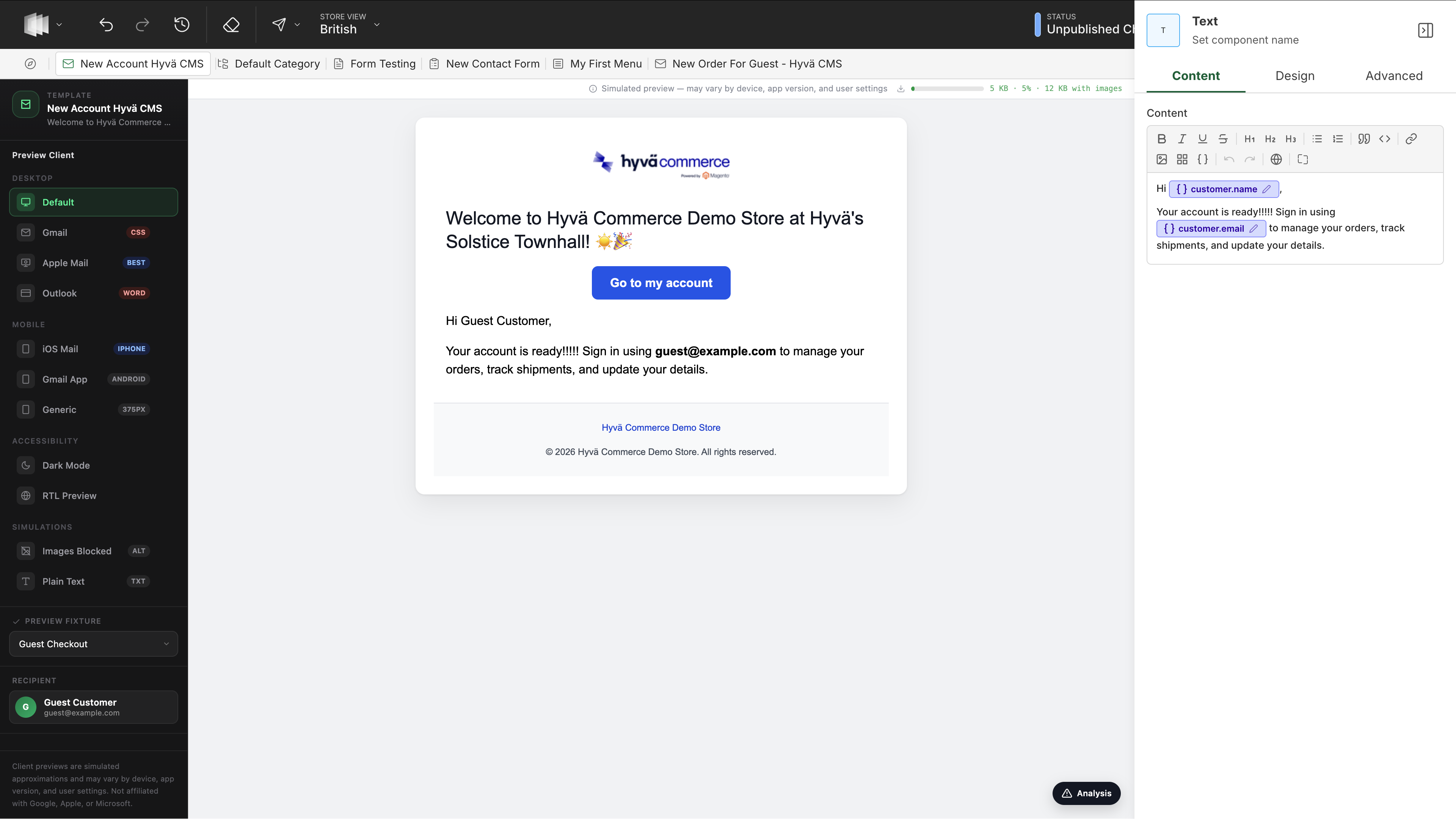
Hyvä Email & Newsletter Templates brings the Hyvä CMS Liveview Editor to your transactional emails and newsletters. Instead of hand-editing Magento email HTML, you compose emails visually from email-safe components - headings, text, buttons, order summaries, tracking info, and more - with a live preview for reviewing content and layout before test sends.
The module covers two content types:
- Email Templates - Magento transactional emails (order confirmation, invoice, shipment, credit memo, password reset, customer account emails, and any custom template).
- Newsletter Templates - Magento newsletter campaigns, sent through the standard newsletter queue.
Both share the same components, editor, and configuration, so once you know one, you know both.
Key Features
- Visual editing with the same Liveview Editor used for Hyvä CMS pages and blocks
- Email-safe components that render as bulletproof table-based HTML with inlined CSS
- Ready-made presets for all common transactional emails, so you never start from a blank canvas
- Dynamic content through Magento directives such as
{{var order_data.customer_name}}, inserted from a variable picker - Live preview with realistic dummy data, including a real order of your choice
- Email client simulation and health checks - catch accessibility and compatibility issues before you send
- Test sends to your own inbox
- Version history so you can safely iterate
Requires Hyvä CMS
Email & Newsletter Templates is a feature module for Hyvä CMS 1.3.0, so the Hyvä CMS module must be installed and enabled. See the Hyvä CMS documentation.
Installing Email & Newsletter Templates
Ready to get started? Follow Installing Email & Newsletter Templates to add it to your Magento store.
More Information
- Configuration: every setting explained, including the one-click setup buttons and the preview data used by the editor.
- User Guides: build email and newsletter templates, preview them with realistic data, and send tests.
- Developer Documentation: the render and preview pipelines, and how to build custom email components.
- Changelog: what's included in each release.
- FAQs: the Hyvä CMS requirement, theme compatibility, and what happens to templates you don't convert.