Category Merchandiser
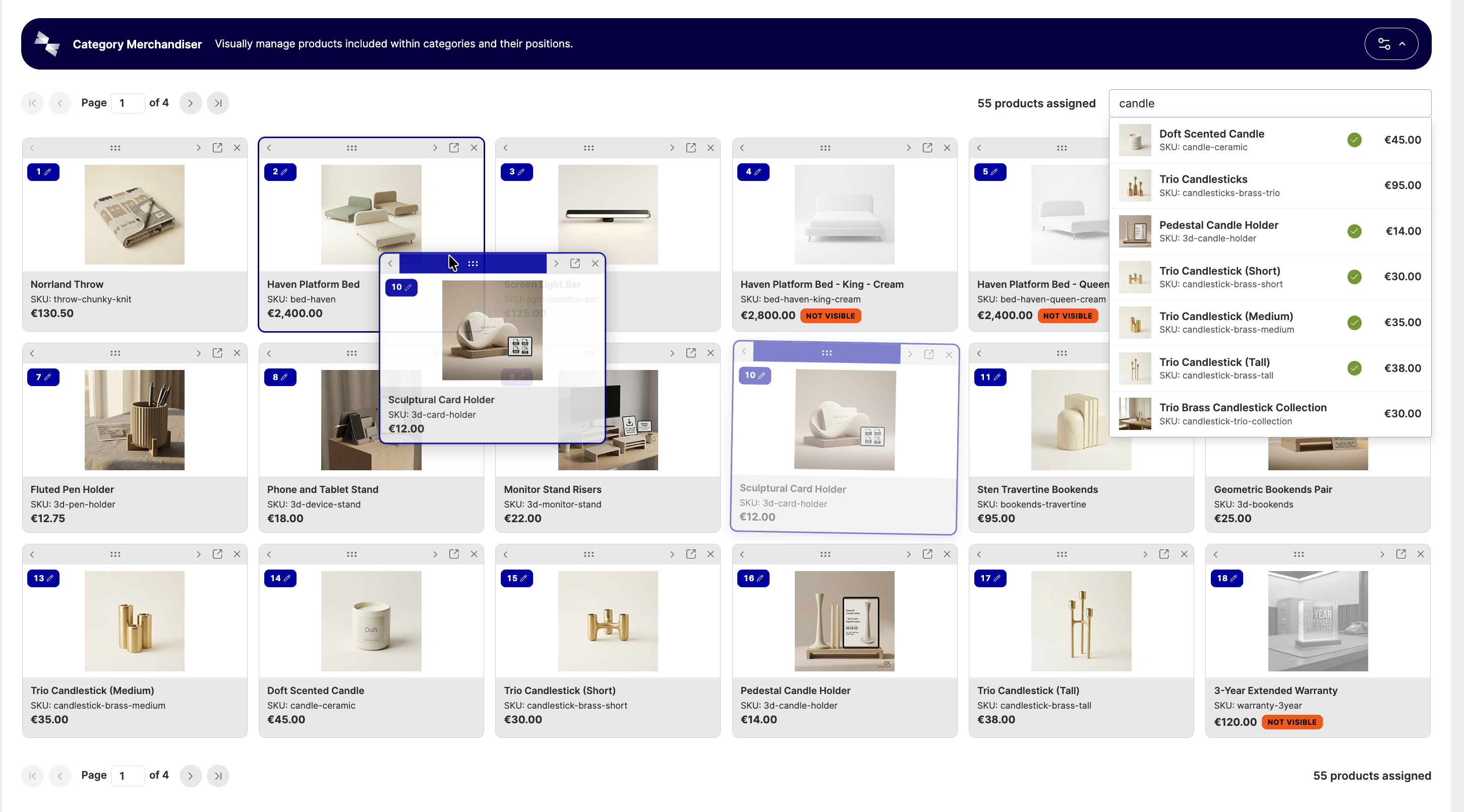
Category Merchandiser replaces Magento's default "Products in Category" grid with a visual, drag-and-drop merchandiser. It's built for merchants who want to control which products show up in a category, and in what order, without fighting a table of position numbers.
Available with Hyvä Commerce 1.4.0
Category Merchandiser is generally available since 1.0.0, which shipped with Hyvä Commerce 1.4.0. It was first released as the 0.1.0 beta on 06 August 2026. Adobe Commerce support is provided in the separate Hyva_CategoryMerchandiserEnterprise module, also generally available since 1.0.0. See Installation for setup.
What Category Merchandiser Does
- Drag and drop reordering - drag cards into place, type an exact position, or nudge a product a step at a time. Every path also works from the keyboard.
- Product search - search by name or SKU shows stock status, catalog visibility, and whether a product is already assigned to the category, with paged loading for more results.
- Per-admin preferences - grid columns, page size, minimum search query length, add-to-top-or-bottom, and which products search includes by default. Each has a site-wide default, and an individual admin user can override it, which is remembered the next time they use the merchandiser.
- Store scope awareness - product status, visibility, and price reflect the store view currently selected on the category page.
- One switch to turn it off - disable Enable Visual Merchandiser in configuration and the category grid falls back to Magento's own default.
- Guards against data loss - Category Merchandiser warns before you leave the page with unsaved changes.
- Accessible by default - reordering, searching, paging, and removing products all announce to screen readers and work end-to-end from the keyboard, not just the mouse.
Where to Find It
Head to Catalog → Categories, select a category, and open the Products in Category section. When Category Merchandiser is enabled, this section shows the visual merchandiser grid instead of Magento's default UI component grid. No separate admin permission is required beyond the existing Magento_Catalog::categories permission used for managing categories.
Installing Category Merchandiser
Ready to get started? Follow our Installation guide.
More Information
- Configuration: enabling/disabling, search and grid defaults, and how per-admin overrides work.
- Adobe Commerce Support: specific considerations for Hyvä Enterprise customers.
- Changelog: what's included in each release.
- FAQs: frequently asked questions and roadmap.