Importing Categories
The category_importer field type lets editors bulk-import categories as menu items through a modal tree browser in the Hyvä CMS editor. Instead of manually creating menu items one by one, editors can select multiple categories from your catalog and import them all at once, complete with their nested structure.
Basic Configuration
To add category import functionality to your custom menu component, add a field with type category_importer to the component's content section. You need to specify which child component will receive the imported category links:
"content": {
  "import_categories": {
    "type": "category_importer",
    "label": "Import Categories",
    "config": {
      "target_child_components": ["hyva_menu_item.link"],
      "max_nesting_level": 3
    }
  }
}
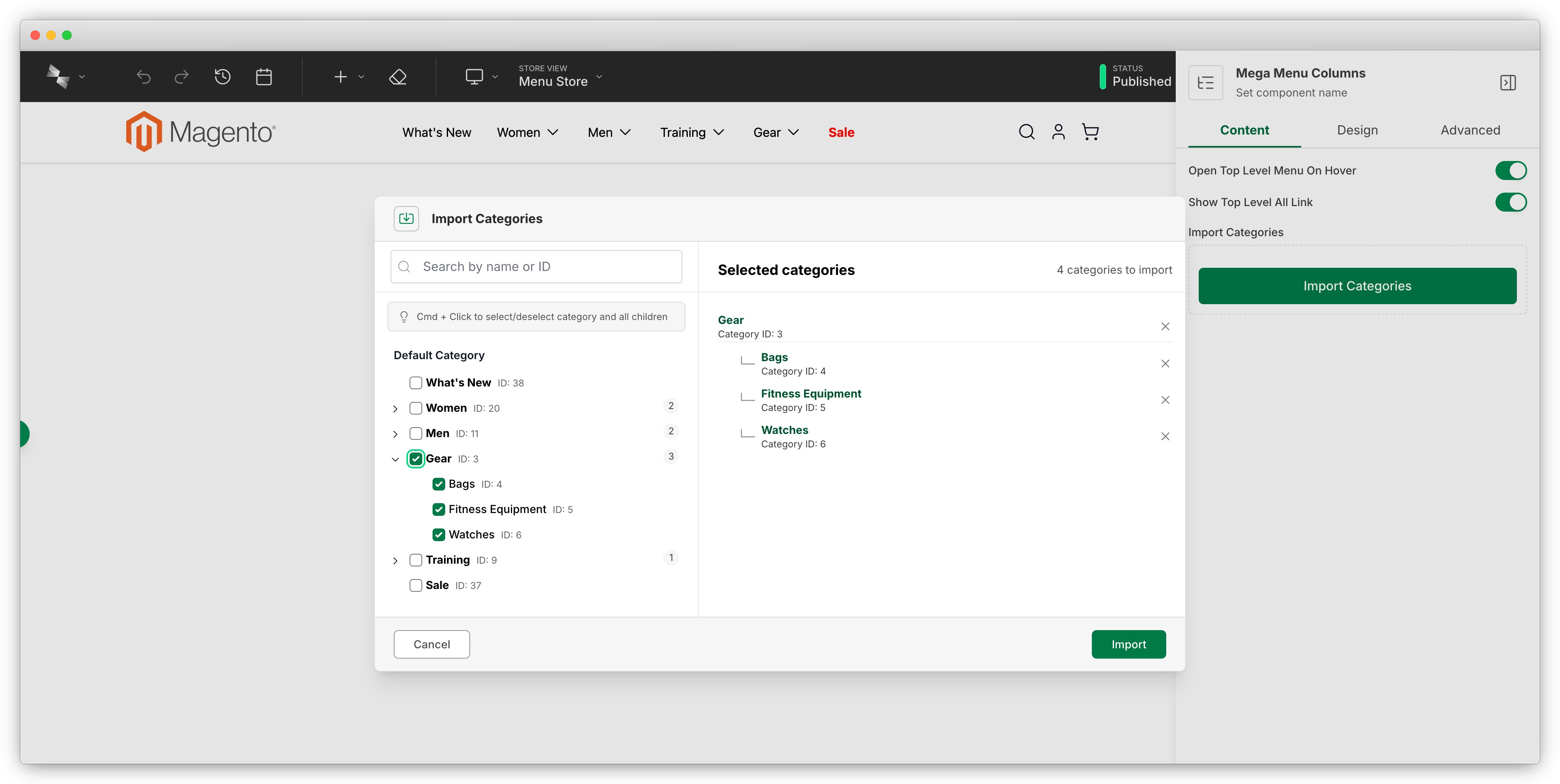
This creates an "Import Categories" button in the editor. When clicked, it opens the category tree browser and imports selected categories as nested menu items.
Configuration Options
target_child_components (required)
The target_child_components array tells the category importer which component to create for each imported category, and which field should receive the category link. Use the format "component_name.field_name":
The part before the dot is the child component name to create. The part after the dot is the field name within that component where the category data goes.
The importer tries each entry in order as a fallback. It checks whether the first component can be added (based on the parent's children.config.accepts array). If that component isn't available or can't be added, it moves to the next entry. This lets you provide component options that work at different menu levels.
max_nesting_level (optional)
The max_nesting_level controls how deep the category tree import goes. Level 1 is the category you selected, level 2 includes direct children, level 3 includes grandchildren, and so on:
Leave this out to import all category levels without any depth limit.
Editor Workflow
Here's what editors see when using the category importer:
- Click the Import Categories button in the component's Content tab.
- A modal shows your Magento category tree with checkboxes.
- Select one or more categories to import.
- Click Import to add them.
- The selected categories appear as nested menu items with links to those category pages.
Editors can import categories multiple times, and each import adds new menu items without replacing existing ones. For screenshots and more workflow details, see Creating Menus.
Reference Implementation
Check out the built-in menu component templates in module-menu-builder to see the category importer in action. The hyva_menu_mobile and hyva_menu_desktop_drilldown components both use this pattern.