Contributions
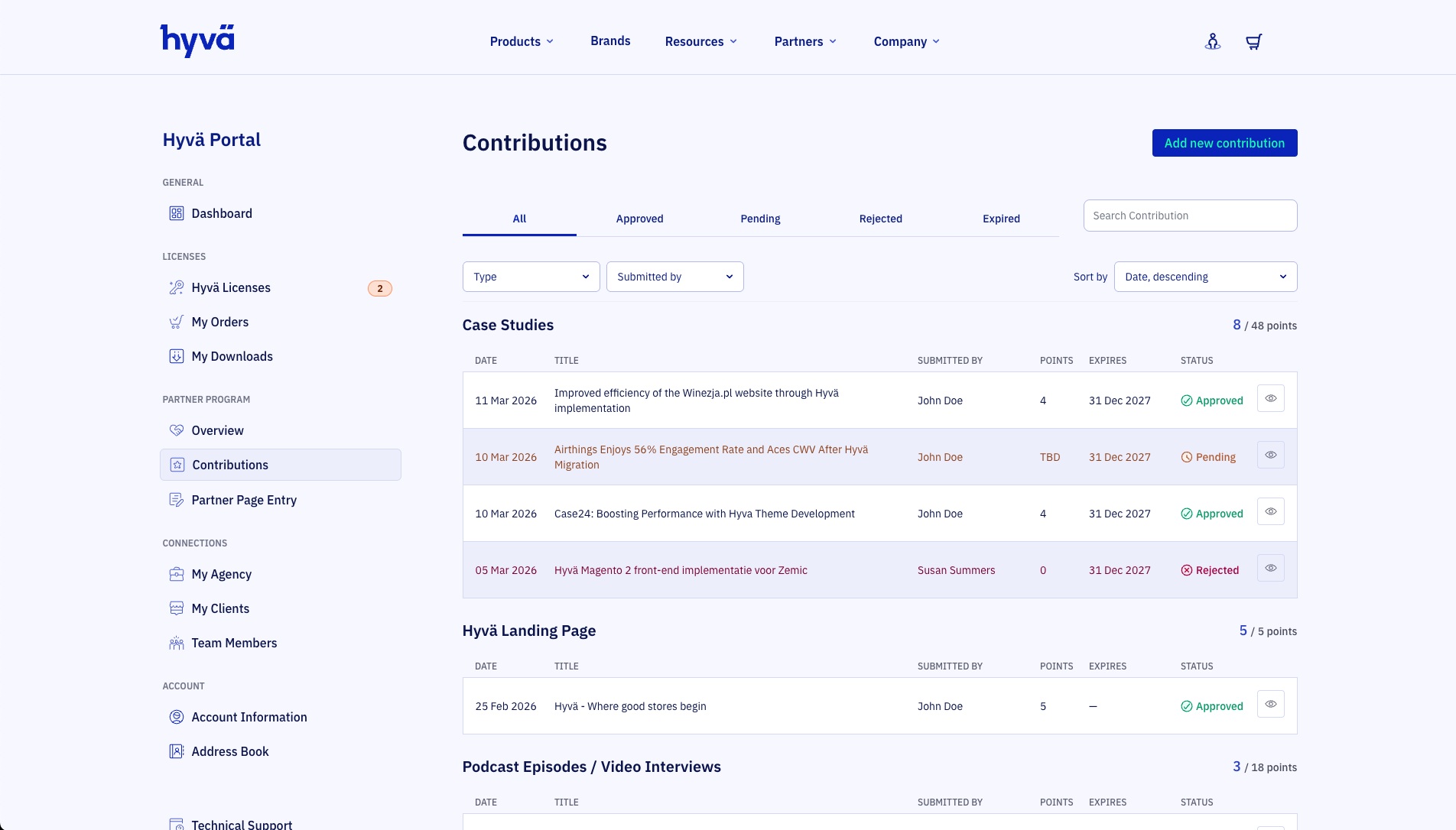
Submit and manage your agency's Hyvä content contributions from this page. Approved contributions earn points toward your partner tier on the Partner Program Overview.
Note
This page is only visible to team managers.
Contribution Types
Each contribution type earns a fixed number of points when approved by the Hyvä team. Points are valid for the calendar year they were earned and the following year, except for the landing page which is valid indefinitely.
| Type | Points | Max points | Validity |
|---|---|---|---|
| Landing Page | 5 | 5 | Indefinite |
| Blog Article | 2 | 24 | Year of contribution until end of the next year |
| Case Study | 4 | 48 | Year of contribution until end of the next year |
| Video/Podcast | 3 | 18 | Year of contribution until end of the next year |
| Presentation | 5 | 20 | Year of contribution until end of the next year |
| Event | 5 | 20 | Year of contribution until end of the next year |
| Open Contribution | Varies | Varies | Varies |
Note
Presence at a Hyvä booth at an Ecommerce Expo (15 points, max 30) is awarded directly by the Hyvä team and does not require a submission.
Note
Marketing contribution points are capped at 55% of your total license points.
Submitting a Contribution
Click Add new contribution to open the "Share your contribution" dialog.
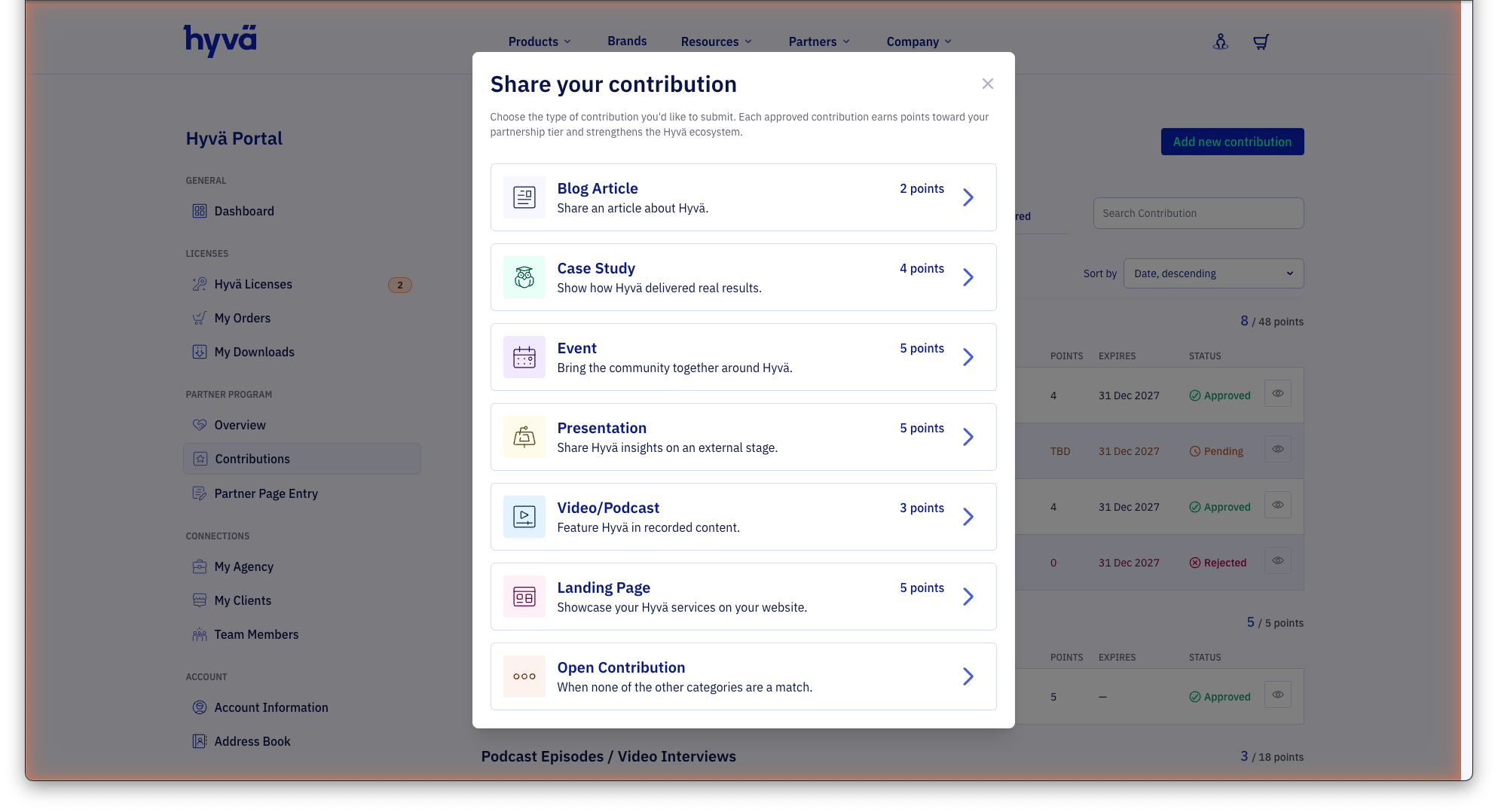
Select the contribution type. Each approved contribution earns points toward your partnership tier. The Hyvä team reviews every submission for quality and relevance. You will only be contacted if changes are requested or the contribution is rejected.
Most contribution types: URL submission
For Blog Article, Video/Podcast, Presentation, Event, Landing Page, and Open Contribution, selecting a type opens a simple one-step form:
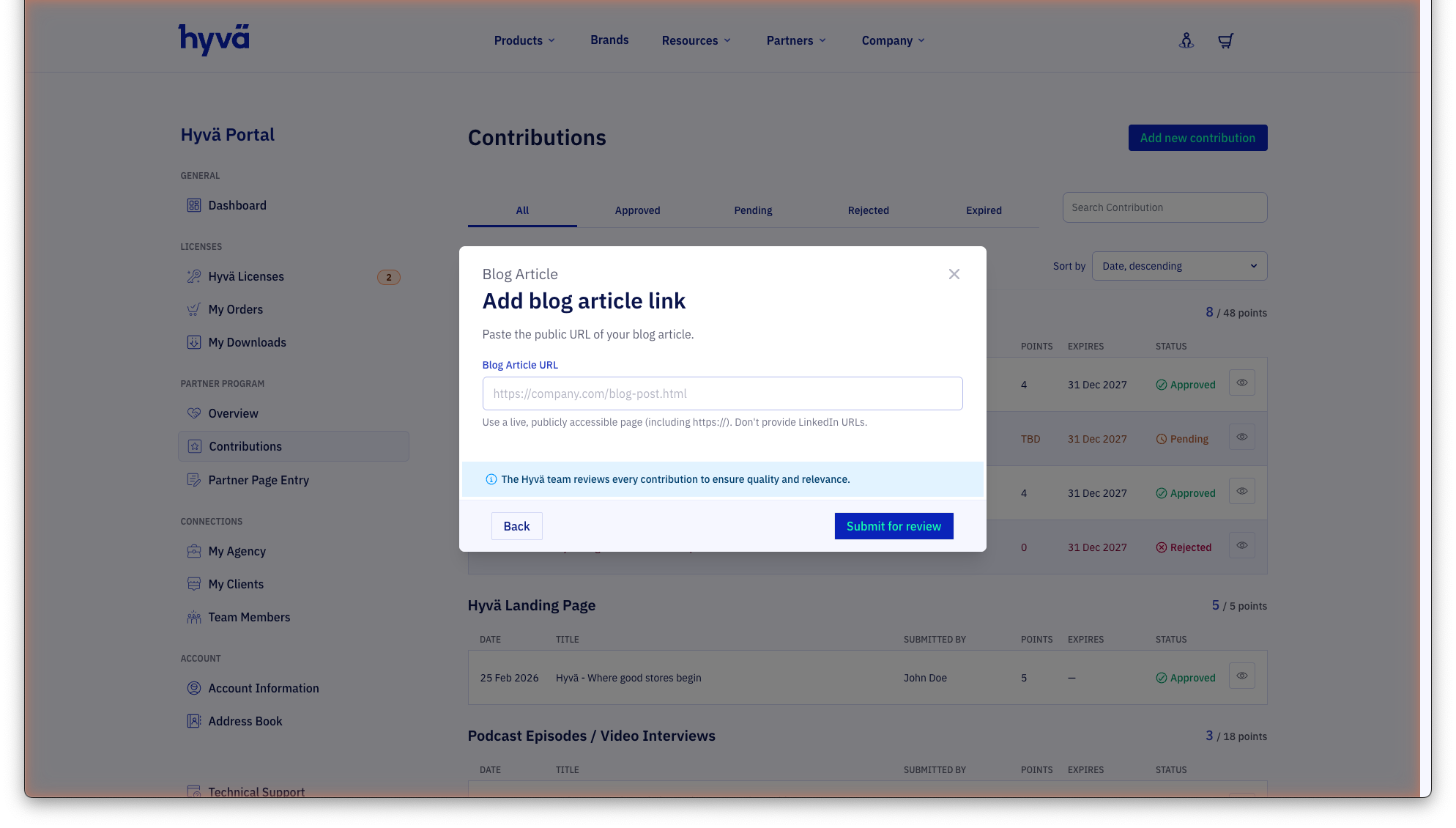
Paste the public URL of your content. The URL must be live and publicly accessible. For Blog Articles, Landing Pages, and Videos/Podcasts, LinkedIn URLs are not accepted. Click Submit for review to send your submission.
Case Study: 5-step form
Case Studies use a guided multi-step form that collects additional information so Hyvä can also feature the case study on hyva.io.
Step 1 — Case study link
Paste the public URL of your case study page showing how Hyvä delivered real results. LinkedIn URLs are not accepted.
Step 2 — Merchant details
Provide details about the merchant the project was built for:
- Merchant name — The brand name as shown on their website
- Merchant website URL — Link to the merchant's main site (not the case study page)
- Merchant logo (SVG) — Upload the merchant's logo in SVG format
- Countries / markets of operation — The most common countries are listed directly; use the search field to find any other country. You can also choose "International"
- Industry vertical — Choose the closest match to the merchant's industry
- Target audience — Pick the primary audience for this store (e.g. B2B, B2C)
Step 3 — Project details
- Hyvä products used — Check all Hyvä products that were part of the solution (Commerce, Enterprise, Checkout, Theme, UI)
- Project type — Choose the starting point (e.g. New Build, Migration)
Step 4 — Case study details
The title and description are prefilled from the URL you provided. Edit them if needed and select the language of the case study page.
Step 5 — Review and Submit
Review all entered details. You can jump back to edit any section. A Publish on hyva.io toggle lets you allow Hyvä to feature the case study on the Hyvä website. Click Submit for review to send your submission.
Browsing Contributions
The contributions list is grouped by type and shows the following columns for each entry:
- Date — When the contribution was submitted
- Title — The title of the content, pulled from the submitted URL
- Submitted by — The team member who submitted the contribution
- Points — Points awarded (shown as TBD while under review)
- Expires — The date when the contribution points expire
- Status — Current review status
Use the tabs at the top to filter by status:
- All — Every submission regardless of status
- Approved — Contributions that have been accepted and are earning points
- Pending — Submissions currently under review
- Rejected — Submissions that did not meet the criteria
- Expired — Contributions whose points period has ended
You can also filter by Type or Submitted by, search by title, and sort by date, title or points.