Category Merchandiser Configuration
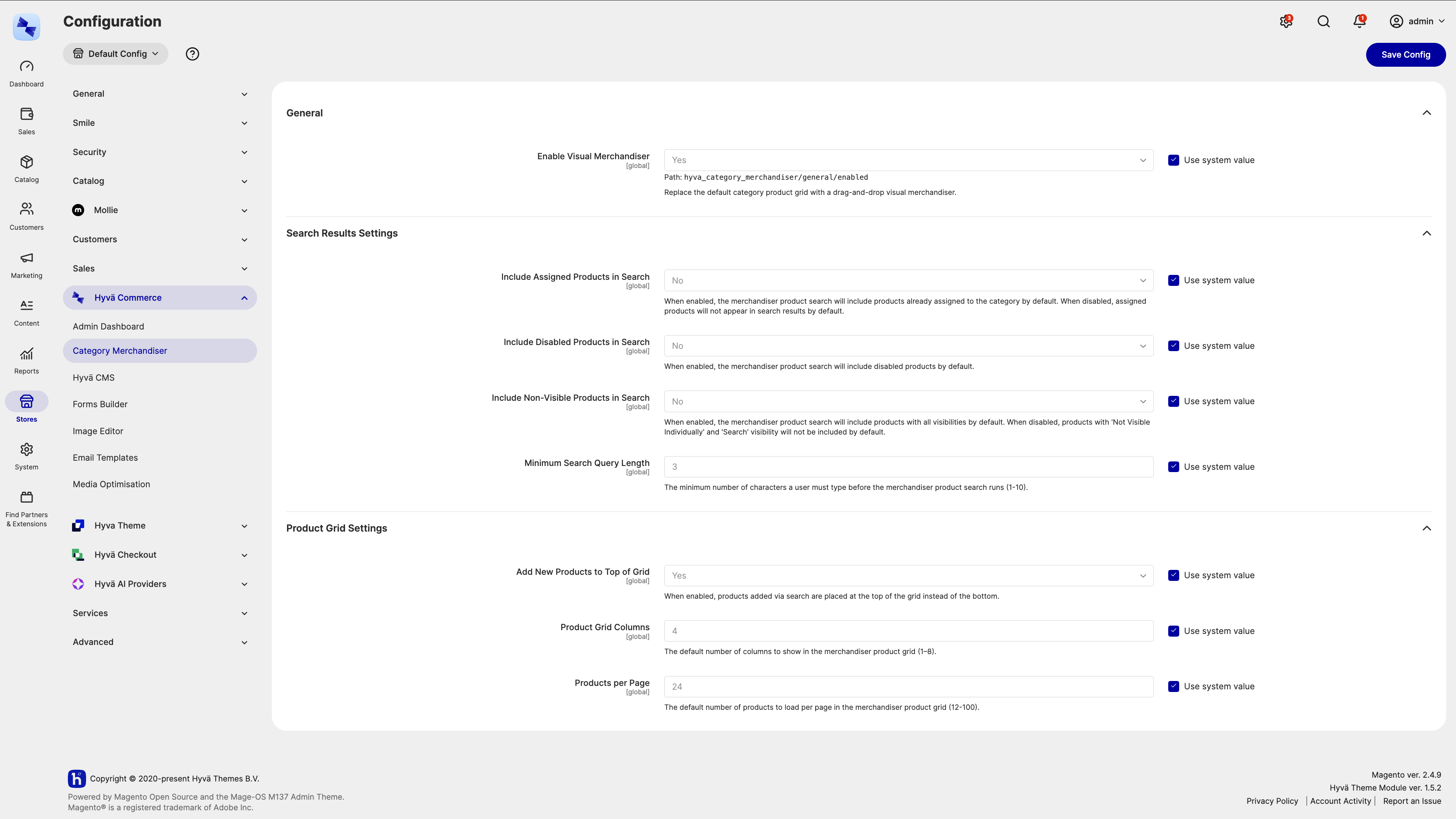
Category Merchandiser is configured in the Magento Open Source/Adobe Commerce admin panel under Stores → Settings → Configuration → Hyvä Commerce → Category Merchandiser (Stores → Settings → Configuration → Hyvä Enterprise → Category Merchandiser for Hyvä Enterprise users). These settings apply to the whole installation, and each one also has a personal override that an individual admin user can set from within the merchandiser itself.
Enabling and Disabling the Merchandiser
The General group has a single setting:
- Enable Visual Merchandiser - when set to Yes (the default), the visual, drag-and-drop merchandiser replaces the default "Products in Category" grid on every category. Set it to No to fall back to Magento's own default grid.
Search Results Settings
These settings control the product search used to add products to a category:
- Include Assigned Products in Search - when Yes (the default), search results include products already assigned to the category. When No, assigned products are left out of the results.
- Include Disabled Products in Search - when Yes, disabled products appear in search results. Defaults to No.
- Include Non-Visible Products in Search - when Yes, products with a catalog visibility of "Not Visible Individually" or "Search" are included. Defaults to No, so only products visible in the catalog or on search appear.
- Minimum Search Query Length - the number of characters an admin must type before the search runs, from
1to10. Defaults to3.
Product Grid Settings
These settings control the merchandiser grid itself:
- Add New Products to Top of Grid - when Yes (the default), products added via search are placed at the top of the grid. When No, they're added to the bottom.
- Product Grid Columns - the default number of columns shown in the grid, from
1to8. Defaults to4. - Products per Page - the default number of products loaded per page in the grid, from
12to100. Defaults to24.
Per-Admin Overrides
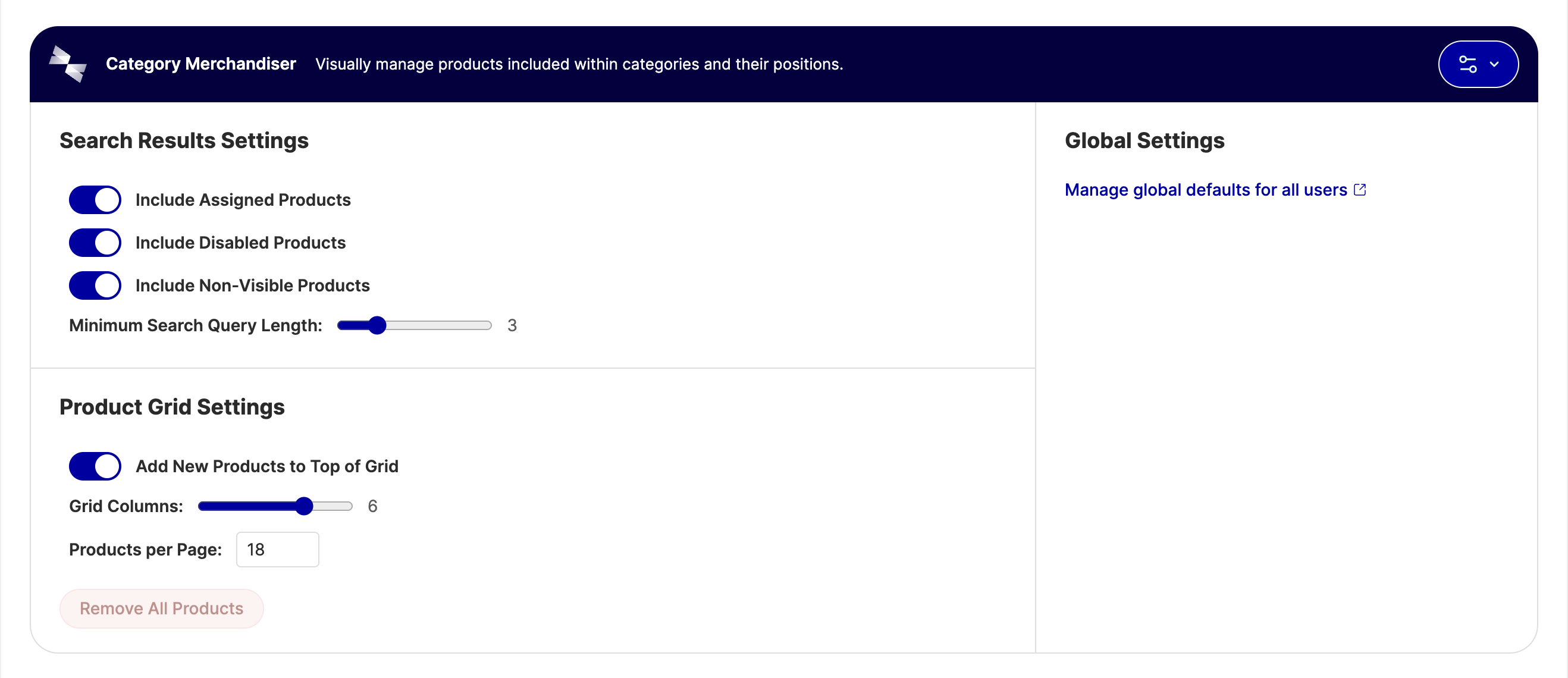
Every setting above acts as a site-wide default. Inside the merchandiser, each admin user can adjust grid columns, page size, minimum search length, add-to-top-or-bottom, and which products search includes, to suit how they work. Changes save automatically and are remembered the next time that admin user opens the merchandiser, without affecting the site-wide defaults or any other admin user's preferences.
Global vs Website & Store Scope
Category Merchandiser's configuration only supports the default (global) scope. There are no separate settings per website or store view. Product status, visibility, and price displayed in the merchandiser reflect whichever store view is currently selected on the category page, but the configuration values themselves are shared across the whole installation.
Related Topics
- Installation: requirements and the Composer command to add Category Merchandiser to your store.
- FAQs: admin permissions, configuration scope, and how per-admin preferences interact with these defaults.