Unreachable Products
An unreachable product is a member of a Linked Product Group that no swatch on its siblings' product pages links to. Linked Products predicts this in the admin and marks those products in red, so you can fix the group before shoppers miss a product. This page explains why products become unreachable, where the marks appear, and what the prediction does and doesn't check.
Why a Linked Product Becomes Unreachable
Each swatch on the product page stands for one combination of link attribute values, and it links to exactly one product. When two or more members share the same values for all of the group's link attributes, the swatch for those values links to the member with the lowest product ID. The other members can never be reached from a sibling's swatches.
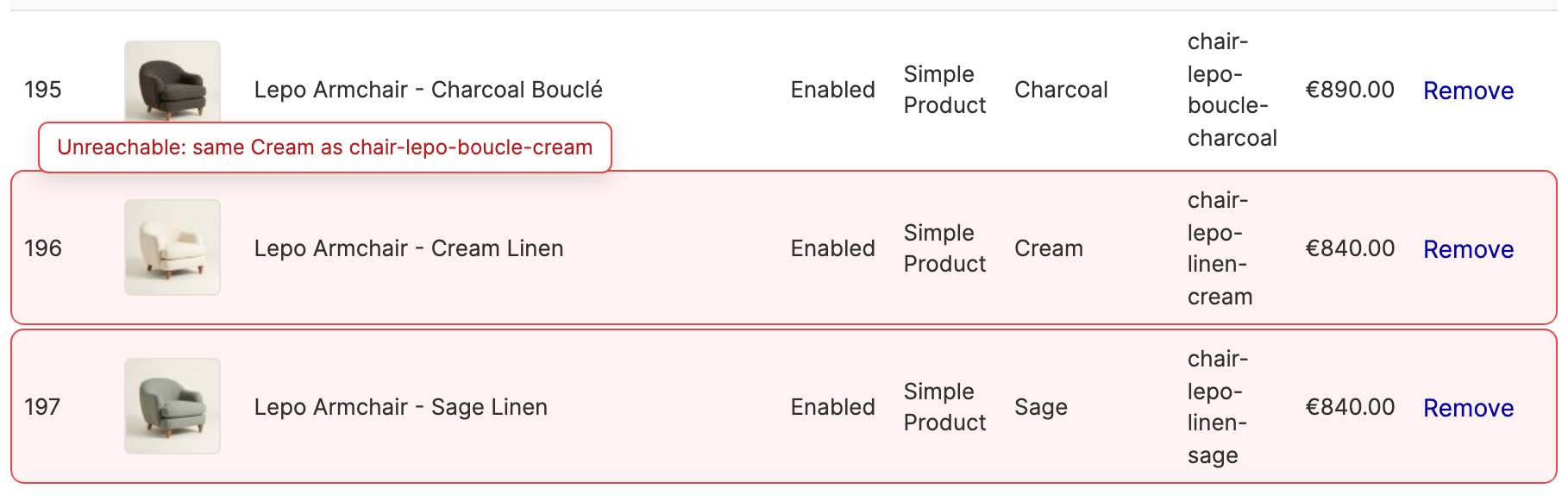
For example, in a group linked by Color, two cream armchairs compete for the single Cream swatch. The armchair with the lower ID wins, and the other one is unreachable.
An unreachable product is only unreachable from the swatches. It still appears in category pages and search results, and its own URL still works.
How to Fix an Unreachable Product
Give every member a unique combination of link attribute values. Depending on your catalog, that means one of:
- change the product's value for one of the link attributes;
- add a link attribute that tells the products apart, such as Fabric next to Color;
- remove the product from the group.
Duplicates never block a save, so you can also leave a duplicate on purpose, for example while you prepare a replacement product.
Where Linked Products Marks Unreachable Products
Unreachable marks appear on every admin screen where you build a group.
Group form and Product Edit page. A member that is unreachable is outlined in red. Hover over the row, or move keyboard focus into it, to see the reason, for example "Unreachable: same Cream as chair-lepo-boucle-cream".
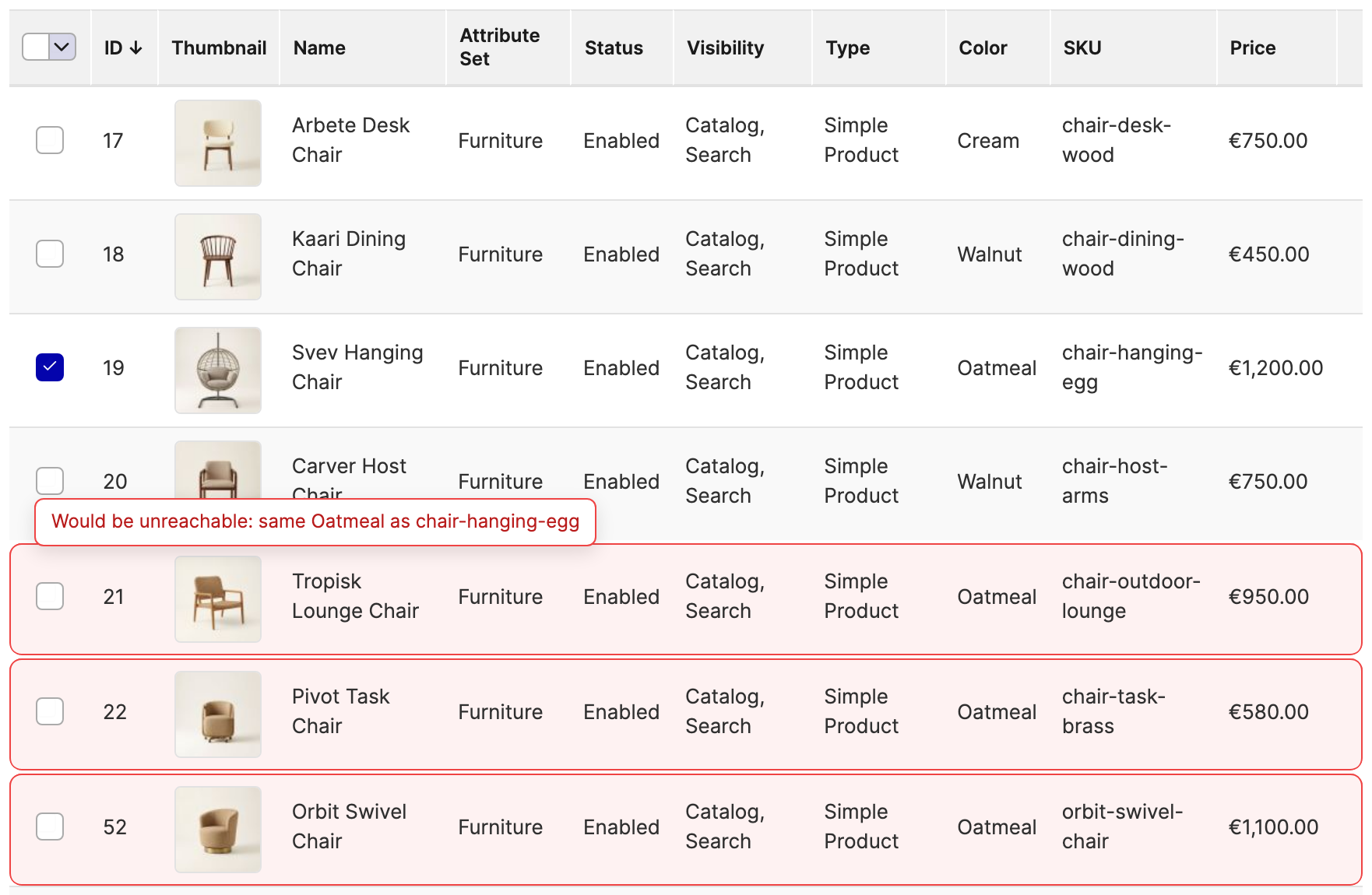
Add Products panels. Before you add a product, the panel outlines candidates that would be unreachable once added, with a reason such as "Would be unreachable: same Oatmeal as chair-hanging-egg". The marks update as you tick products.
Product Edit page banner. When the product you're editing is itself unreachable, a banner at the top of the Linked Products section says so. See The Unreachable Product Banner.
Products Not on the Storefront
Linked Products also marks members that the storefront never shows, with the reason "Not on storefront" followed by one of:
- disabled - the product's Enable Product setting is off;
- not visible - the product's Visibility is Not Visible Individually;
- not in a website - the product isn't assigned to any website.
These members never win a swatch, so they don't make other members unreachable. In single-store mode, the Product Edit page doesn't check websites.
What the Reachability Check Reads
Every screen with marks carries the note "Reachability is checked at default scope and ignores stock." In practice:
- Default scope only. Status, visibility, and link attribute values come from the default scope. A status set per website, or a visibility or value set per store view, isn't considered.
- Any website counts. A product assigned to any website counts as on the storefront, although each storefront only shows the products of its own website.
- Stock is ignored. With Display Out of Stock Products set to No (the Magento default), the storefront drops out-of-stock products. If the winning product is out of stock, the storefront links the swatch to the next one instead.
- Page-load data. Marks reflect the data when the page loaded, plus your unsaved edits to the product you're editing. Changes saved elsewhere show after a reload.
If the reachability data can't be loaded, the screen shows "Reachability could not be checked. Save to check it." instead of marks. Saving keeps your unsaved rows and link attributes, which a reload would discard. Your next change to the table also tries again.
Gaps the Unreachable Marks Don't Cover
The marks cover members that share all their link attribute values with another member. In a sparse group, where not every combination exists, the storefront links a swatch to the member that shares the most other values when no exact match exists. That can leave a member with a unique combination that no swatch ever links to, and nothing marks it.
For example, take a group linked by color, size, and material with four members in product ID order: Blue/S/wool, Red/M/wool, Red/S/cotton, and Blue/M/cotton. Every swatch links to one of the first three, so Blue/M/cotton is never reached from a swatch. To avoid this, keep your groups complete, with one product for each combination you sell.
Related Topics
- Managing Linked Product Groups - where you add and remove members.
- Linked Products on the Storefront - how the product page picks the product behind each swatch.